
Known faces
Face matching you can defend.
Known faces tells your team the moment someone on your own watchlist walks into view: a person barred after violence, a repeat offender, anyone your policy names. It is built the other way round from most facial recognition. It stays locked until your paperwork is done, it matches on your own site, and a person always has the final word.
A watchlist, never a search
What it is, and what it will never be.
It is
- A watchlist of people your organisation has a documented reason to look for, such as serious incidents or repeated offending
- Matched on your own edge node, against templates that never leave your site
- A candidate for a person to verify, banded Strong or Possible, never a percentage
- Seen only by your own verifiers, on cameras they are already allowed to see
It is never
- A search of recorded footage by face
- A list shared with, or pooled between, organisations
- Automatic action against anyone
- Available to guests, shared links, WhatsApp, connected AI tools or the assistant
- Switched on for an organisation with a site outside the UK
Before anything runs
Four locks before a single face is compared.
Each lock is held by someone different, and the last one sits on your own premises. If any one of them is open, nothing is matched.
Your organisation
Known faces switches on only once your appropriate policy document, impact assessment and watchlist policy are recorded. An organisation with any site outside the UK is refused.
Each camera
An admin turns it on camera by camera, only where your assessment says it belongs. Never across a whole estate at once.
Your site
The site switches it on at its own edge node console. Our servers cannot turn that switch, and your site can turn it off at any time.
A licensed seat
The camera must hold a licence seat, allocated exactly like every other module, so it runs only where you have chosen to pay for it.
The watchlist
Two admins for every entry. An end date on every one.
Nobody can put a face on the list alone, and nobody stays on it by default.
- One admin enrols, a different admin approves
- Every entry carries a reason category, serious or repeat, with an incident reference and an evidence note
- Entries expire after six months by default and never run beyond twelve; after that, a person must be enrolled again with fresh evidence
- Enrolment photos are re-saved with their hidden metadata removed
- Every enrolment, approval, decision and removal is written to an audit trail
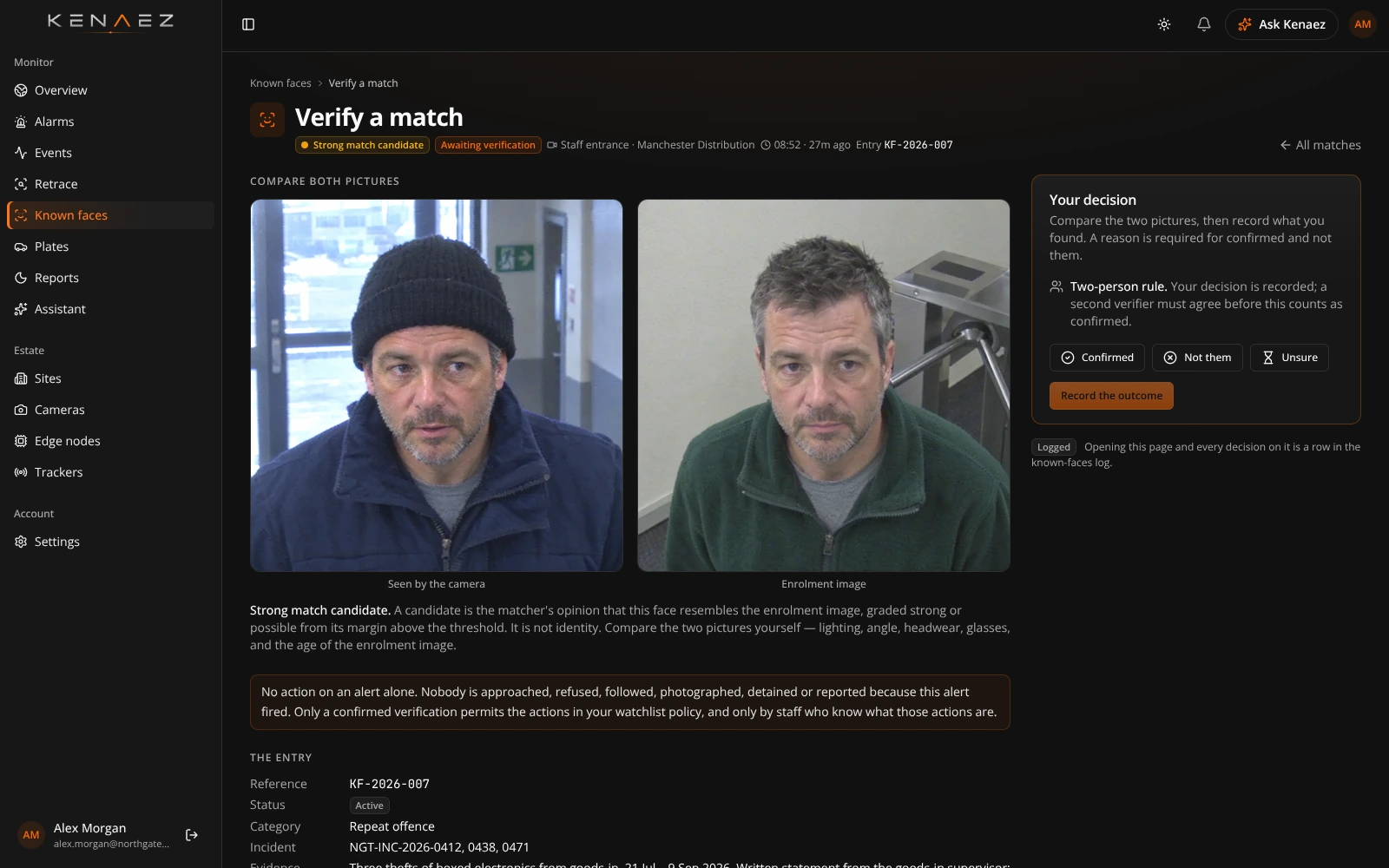
A person decides
A match is a question for a person, never an answer.
The system raises a candidate. Your verifier compares the two pictures and decides, with a reason, on a camera they are allowed to see. Nobody is approached, refused or reported on an alert alone.
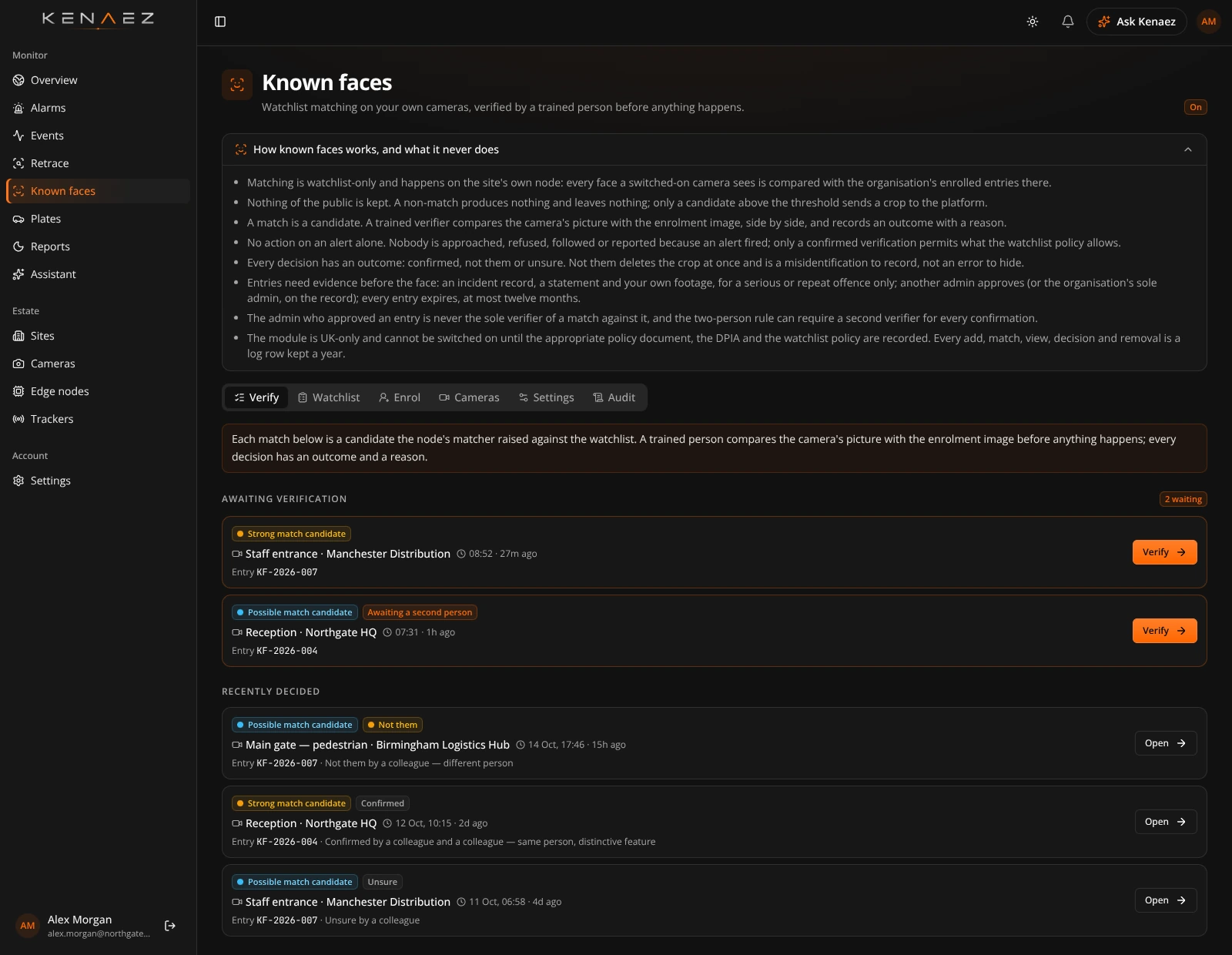
Awaiting a verifier

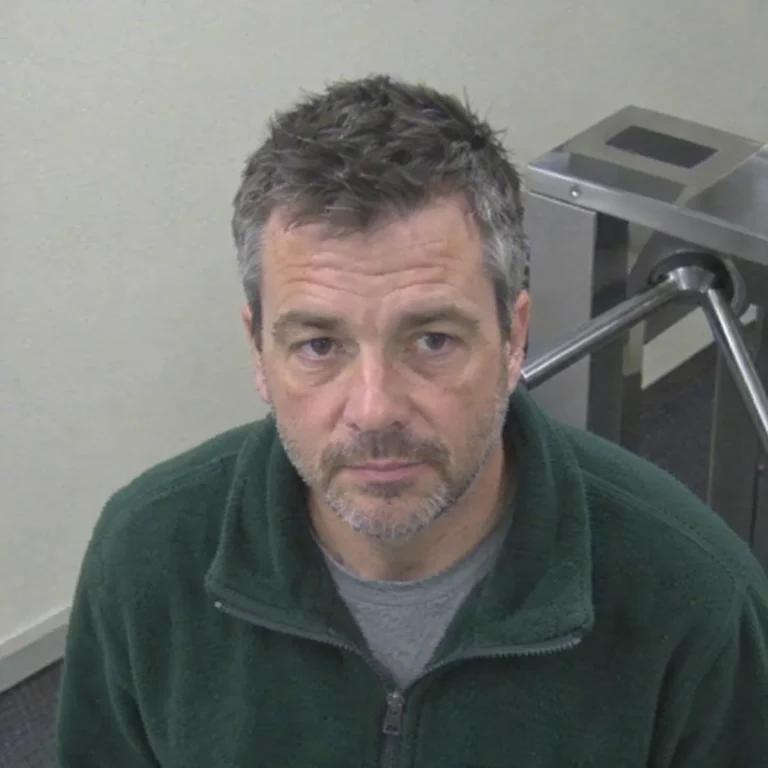
The people shown are fictional.
A face is found
Faces are found by the edge node on your premises, on the cameras you chose. Faces too small to judge are ignored.
Compared locally
Each face is compared with encrypted templates held on the node. No cloud AI is involved, and a face that matches nobody leaves nothing behind.
Banded, not scored
A possible match arrives as Strong or Possible, never a percentage, because a percentage reads like proof. The alert names the camera, never the person.
A verifier decides
Confirmed, not them or unsure, with a reason. You can require a second verifier, and the admin who approved an entry can never confirm it alone.
Not them
The face crop is deleted straight away. An entry that is wrong twice is suspended for an admin to review.
Confirmed
The crop is kept for 90 days as evidence, and only the actions your watchlist policy allows may follow.
Your data
What is kept, where, and for how long.
On your site · edge node
Matching happens here
- Face templates, encrypted with AES-256-GCM and sealed to that machine
- Templates destroyed when an entry ends or expires, or when either switch is turned off
- Enrolment photos are used to make templates and never written to disk
Only when a face may match
In London · eu-west-2
Decisions happen here
- Enrolment photos, for as long as the entry lasts
- Candidate face crops and stills, for your verifier
- An audit of every enrolment, approval, decision and removal, with no images
| Data | Kept for |
|---|---|
| Enrolment photo | Until the entry expires or is removed: six months by default, twelve at most |
| Face templates (edge node only) | Until the entry ends or expires, or either switch is turned off |
| Candidate face crop and still | With the event's own media, and deleted at once on "not them" |
| Confirmed face crop | 90 days |
| Known faces audit (no images) | 365 days |
For your DPO
Built around the law that applies to faces.
Face matching is biometric data, the most protected kind. Known faces is designed so your organisation can show, at every step, why it looked and who decided.
Special category data
Under UK GDPR Article 9, biometric data used to identify people needs a condition in the Data Protection Act 2018, Schedule 1, such as preventing or detecting unlawful acts. The switch will not move until your appropriate policy document is recorded.
An impact assessment, site by site
A data protection impact assessment comes before go-live. We provide a template that describes exactly how the module behaves, so your assessment matches the system you run.
A written watchlist policy
Who may be enrolled, for what reasons, for how long, what may happen on a confirmed match, and who reviews the list, all recorded before the first entry is made.
A person in every decision
Nothing happens to anyone on the system's word. Every match is decided by a named verifier, with a reason, and recorded.
UK sites only
Known faces is available for sites in the United Kingdom. An organisation with any site in the European Union cannot switch it on.
Your people only
Guests, shared links, WhatsApp, connected AI tools and the assistant can never reach Known faces. Verifiers see matches only on cameras they can already see.
You stay in control
You decide whether Known faces belongs on your estate, and you remain the controller of everything it processes. We give you the documents, the controls and the audit trail to show your reasoning to the regulator, your board or the public.
Questions
What people ask about Known faces.
Can we search old footage for someone's face?
No. Known faces only checks what your chosen cameras see from now on against your watchlist. To find someone in footage you already hold, Retrace searches by description, such as clothing and what they carried.
Who sees a match?
Your verifiers: admins, or members too if you choose, and only on cameras they can already see. The alert names the camera and site; it never carries the photo or the watchlist entry.
What happens when it is wrong?
The verifier marks it not them and the face crop is deleted straight away. An entry that is wrong twice is suspended so an admin can review it.
Can we share our list with another business?
No. Each organisation's watchlist is its own and is never shared or pooled with anyone else's.
Do people need to be told?
Yes. Your signage and privacy information should say that face matching is in use, and your impact assessment explains why. We are happy to help with the wording.
Can we start with one camera?
Yes. It is switched on camera by camera, so you can begin where your assessment is strongest and widen it only when you are ready.
Reveal what's hidden
See every site you run on one live map.
Bring the cameras you already own. We'll show you KENAEZ on your own buildings, from the first edge node to the morning report.
14-day trial · Monthly licences · UK hosted